

Find your ideal golf club length in minutes.
This golf club length calculator uses your total height and wrist‑to‑floor (WTF) distance.
This calculator provides a static fit estimate. A full club fitting should also consider swing speed, posture, lie angle, and ball flight.
Your static fit recommendation
-
Total height:
Stand straight against a wall wearing your typical golf shoes. Have someone measure your full height. Height helps confirm that your proportions are roughly in line with the chart ranges. -
Wrist‑to‑Floor (WTF):
Stand on a hard surface with your arms hanging naturally at your sides. Have someone measure from the crease of your wrist (where it meets your hand) straight down to the floor. -
Use the chart to adjust from “standard” length:
Fitting charts give a recommended adjustment (e.g. +0.5″ or −0.5″) relative to a manufacturer’s standard length for each club type. -
Remember manufacturer differences:
“Standard” isn’t identical across all brands. A standard 7‑iron may vary by 0.25–0.5″ between OEMs. Always cross‑check with the specific brand’s specs.
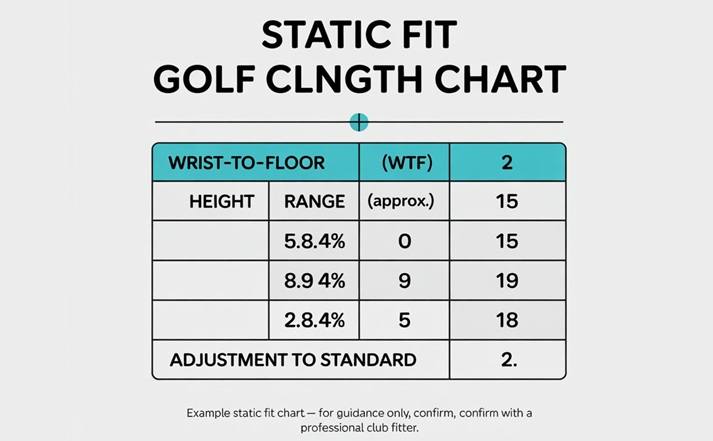
| Wrist‑to‑Floor (WTF) | Height Range (approx.) | Adjustment to Standard |
|---|---|---|
| Under 32″ | Under 5’3″ | −1″ to −0.5″ shorter |
| 32″ – 35″ | 5’7″ – 6’0″ | Standard length |
| 35″ – 37″ | 6’1″ – 6’3″ | +0.5″ longer |
| 37″ – 39″ | 6’4″ – 6’6″ | +1″ longer |
| Above 39″ | 6’7″+ | +1.5″ to +2″ longer |
This chart is a general guideline. Some fitters will refine these numbers based on posture, arm length, and swing. Use it to get close, then let a fitter fine‑tune your specs.

Free golf club length calculator by height and wrist to floor
Choosing the right golf club length is one of the simplest ways to make your swing more consistent and comfortable. Clubs that are too long or too short can: Change your posture and swing plane, Cause heel or toe strikes, Make it harder to square the clubface at impact. A golf club length calculator (also called a golf club size calculator or static fit golf club length guide) helps you get a starting point for proper length based on your: Total height, and Wrist‑to‑floor (WTF) distance.
Important: This calculator gives a static fit estimate. A full professional fitting should also consider your swing, lie angle, tempo, and ball flight.
What does a golf club length calculator do?
A golf club length calculator uses your body measurements to estimate how much you should: Add or subtract from the manufacturer’s standard club length (for irons, wedges, or woods). The calculator you’re using is based on a standard length adjustment chart that looks at:
- Height ranges (e.g. under 5’3″, 5’7″–6’0″, 6’1″–6’3″, etc.), and
- Wrist‑to‑floor distances (e.g. under 32″, 32″–35″, 35″–37″, etc.), and
- Suggests an adjustment to standard length (for example, −0.5″, +0.5″, +1″ or more).
This is called static fitting because it uses static (standing) measurements, not dynamic swing data.
The key measurements: Height & Wrist‑to‑Floor (WTF)
The calculator needs two measurements:
1-Total height
How to measure:
- Wear your typical golf shoes.
- Stand straight with your back against a wall.
- Have someone measure from the floor to the top of your head.
You can enter this as Feet & inches (e.g. 5 ft 9 in), or Centimeters (e.g. 175 cm), depending on the calculator’s unit setting.
2-Wrist‑to‑Floor distance (WTF)
This is often more important than height alone, because it accounts for:
- Arm length,
- Torso length,
- Overall proportions.
How to measure:
- Stand on a hard, level surface wearing your golf shoes.
- Let your arms hang naturally at your sides.
- Have someone measure from the crease of your wrist (where your hand meets your forearm) straight down to the floor.
- Record this distance as: Inches (e.g. 34″), or Centimeters (e.g. 86 cm).
These two numbers—height and wrist‑to‑floor—feed into the golf club length calculator to determine your static adjustment.
The standard length adjustment chart (how the calculator “thinks”)
Static fitting usually relies on a chart that combines wrist‑to‑floor and height to give a recommended length change. A simplified chart (like the one your golf club length calculator uses) may look like this:
| Wrist‑to‑Floor (WTF) | Height Range (approx.) | Adjustment to Standard |
|---|---|---|
| Under 32″ | Under 5’3″ | −1″ to −0.5″ shorter |
| 32″ – 35″ | 5’7″ – 6’0″ | Standard length |
| 35″ – 37″ | 6’1″ – 6’3″ | +0.5″ longer |
| 37″ – 39″ | 6’4″ – 6’6″ | +1″ longer |
| Above 39″ | 6’7″+ | +1.5″ to +2″ longer |
Your golf club length calculator automates this:
- If your WTF is under 32″, it may suggest something like −0.75″ shorter.
- If your WTF is 32″–35″, it recommends standard length.
- If your WTF is 35″–37″, it recommends +0.5″.
- If your WTF is 37″–39″, it recommends +1″.
- If your WTF is above 39″, it recommends +1.5″ to +2″ (perhaps approximated as +1.75″).
The calculator converts these ranges into a single suggested number (like +0.5″ or −0.75″) and then, if you provide a standard club length, calculates your fitted length.
How to use the golf club length calculator (step by step)
The calculator has a clean, user‑friendly interface with unit toggles and clear results. Here’s how to use it.
Step 1: Select your units
At the top of the input section, you’ll see a Units toggle: Feet / Inches (Imperial), or Centimeters (Metric). Choose the units that are most convenient for you. The calculator will: Show height / WTF fields and labels in your chosen units. Convert lengths correctly behind the scenes.
Step 2: Enter your height
If you’re using Feet / Inches: Enter your height as feet and inches, for example: Height: 5 ft 9 in (5 in the first box, 9 in the second). If you’re using Centimeters: Enter your height as a single number in cm: Height: 175 cm.
Step 3: Enter your wrist‑to‑floor distance (WTF)
If you’re using Feet / Inches mode, the WTF field will ask for inches: WTF: 34.0 in, 36.5 in, etc. (you can include decimals). If you’re using Centimeters mode, it will ask for cm: WTF: 86 cm, 90 cm, etc. Make sure you measured this accurately on a hard surface, with arms relaxed at your sides.
Step 4: (Optional) Enter your standard club length
This field is optional, but helpful: In inches or cm, depending on your unit selection. For example, a standard 7‑iron might be around 37.0″. If you enter a standard length: The calculator will add your recommended adjustment (e.g. +0.5″) to compute a fitted club length (e.g. 37.5″). If you don’t know your standard length: The calculator still works; it just shows your relative adjustment (e.g. “+0.5″ longer than standard”).
Step 5: Click “Calculate club length adjustment”
When you click Calculate:
- The calculator validates your inputs (reasonable height, WTF ranges).
- It determines your adjustment range from the chart.
- It picks a single recommended adjustment (e.g. +0.5″, −0.75″).
- If standard length is provided, it computes your fitted club length.
- It displays a summary of your static fit.
Understanding your results
After calculation, you’ll see several key outputs:
1-Recommended length adjustment (headline)
Example outputs:
- “Standard length clubs are recommended.”
- “Approximately +0.5″ longer than standard.”
- “Approximately −0.75″ shorter than standard.”
This is the main takeaway: how much to adjust from standard length.
2-Adjustment range (from chart)
This shows the range from the static fit chart, such as:
- “−1″ to −0.5″ shorter”
- “Standard length”
- “+0.5″ longer”
- “+1″ longer”
- “+1.5″ to +2″ longer”
It’s a reminder that static charts often use bands, and your suggested number is a midpoint in that band.
3-Suggested single adjustment
This shows a precise recommendation, for example:
- “No change (0″) – standard length.”
- “+0.50″ relative to standard.”
- “−0.75″ relative to standard.”
This is what you might tell a club builder: “Please build my irons to +0.5″ over standard.”
4-Estimated club length (if standard provided)
If you entered a standard length (e.g. 37.0″): The calculator adds the adjustment: 37.0″ + 0.5″ = 37.5″ It then displays that as your fitted length in either: Inches, or Centimeters (if you’re in metric mode).
5- Static fit summary
You’ll also see a short descriptive summary, such as: “Based on a height of 5′ 9″ and a wrist‑to‑floor of 34″, your static fit suggests standard length clubs are recommended. Based on a height of 6′ 3″ and a wrist‑to‑floor of 37″, your static fit suggests approximately +1″ longer than standard. This gives context to your measurements and the recommendation.
Tips for using the Golf Club Length Calculator
1-Be precise with measurements
Small errors can change the recommendation, especially for WTF: Measure multiple times and average if needed. Wear your golf shoes, since they change effective height/WTF slightly. Stand naturally, don’t stretch or slouch.
2- Remember that “standard” varies by brand
Different manufacturers have different “standard” lengths: A standard 7‑iron may be 36.75″, 37.0″, or 37.25″ depending on the OEM. Drivers, hybrids, and wedges also vary. Use the calculator’s adjustment (e.g. +0.5″) as a relative guide, then check each brand’s spec chart.
3- Use static fit as a starting point, not the final answer
Static fit does not account for:
- Your stance and posture
- Swing plane and tempo
- Lie angle and impact patterns (toe vs. heel strikes)
- Ball flight (pushes, pulls, slices, hooks)
Professional fitting sessions: Use launch monitors, lie boards, or impact tape, Fine‑tune length, lie, loft, shaft flex, and grip size, Your static fit recommendation (e.g. +0.5″) helps narrow the range before that dynamic fitting.
4-Different clubs, different priorities
While this calculator gives a global adjustment (e.g. “+0.5″ over standard”), remember:
- Drivers: Too long can hurt center contact. Many players actually benefit from shorter drivers than OEM standard.
- Irons: Consistency and lie angle are more sensitive to length changes.
- Wedges: Often fit close to your comfortable posture at address; static fit is a good starting point here.
You might apply the full adjustment to irons and wedges, but adjust drivers or fairways more conservatively based on feel and performance.
5- Re‑evaluate after swing changes
- Improve posture,
- Change your setup, or
- Gain/lose height (teenagers, growing juniors),
your static fit may change. Re‑check Height and WTF every year or so Especially for juniors and rapidly improving players.
FAQs/ Frequently Asked Questions
You can explore Similar Calculator like this Free Top soil Calculator Per Square Ft.